 Blindspot
The free trading journal for Tradovate
If you trade futures through Tradovate, every fill you've ever made is already sitting in your account — you just can't learn much from it there. Blindspot turns a Tradovate fill export into a complete trading journal: round-trip trades, win rate, expectancy, profit factor, drawdown, and a calendar view of every trading day. No manual entry, and for CSV import no broker connection or API keys either.
How to import your Tradovate fills into Blindspot
1 Export your trades from Tradovate
Log in to the Tradovate platform (web or desktop) and open Performance from the main menu. Set the date range — export everything if it's your first import — and use the grid's export button to download a CSV. Blindspot accepts either the Trades grid the Performance page shows by default or the Fills tab; you don't need to pick, the import recognises both.
Make sure the grid actually shows rows for the range you picked. An export of an empty view is an empty file, which Blindspot can't import. Trades still open when you export aren't in the Trades grid yet — they come across with your next export.
2 Save the CSV
Tradovate downloads a CSV of your fills. That file is all Blindspot needs — it contains fill IDs, timestamps, contract, side, quantity, price and commission. No login credentials are involved.
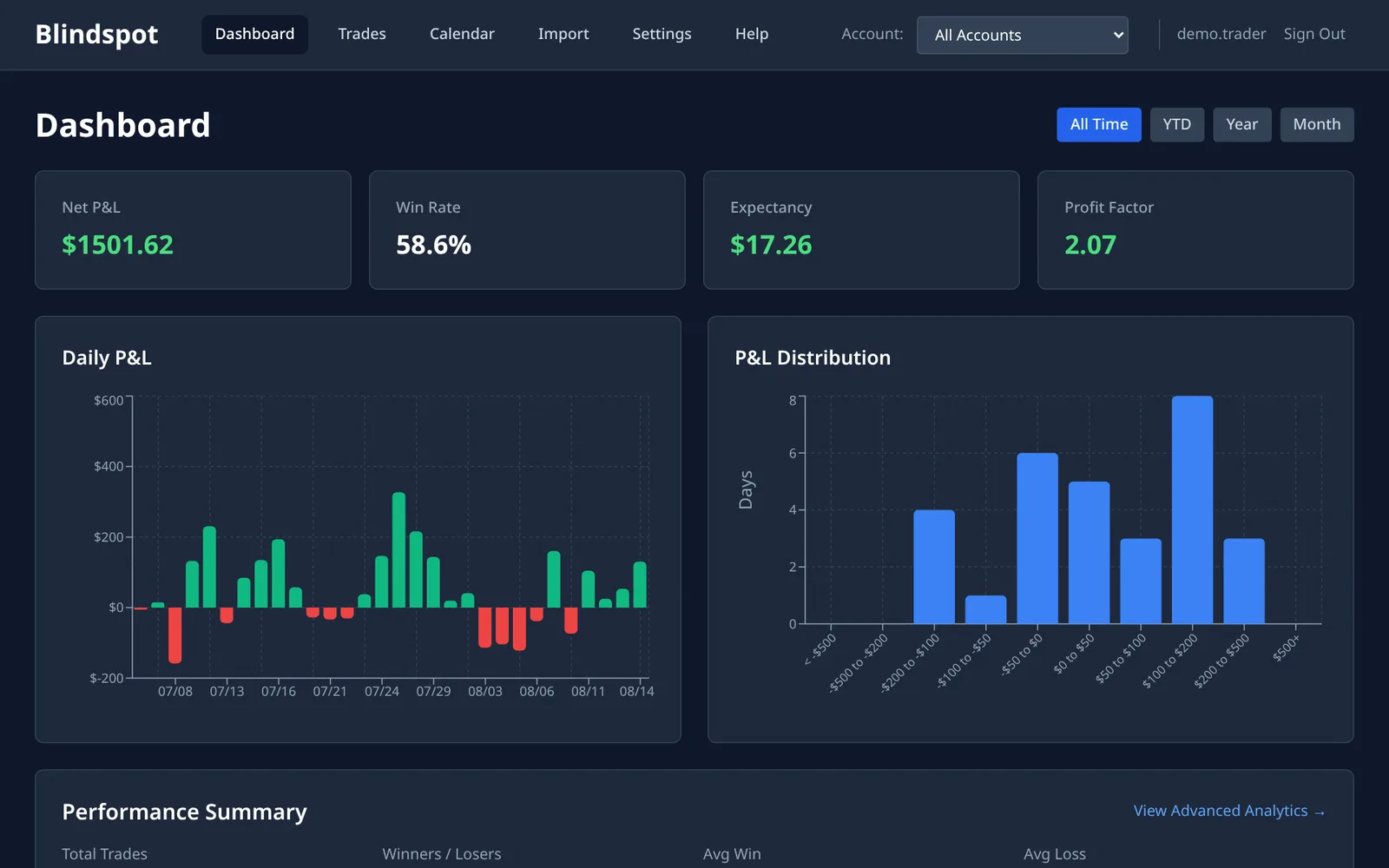
3 Upload it to Blindspot
In Blindspot go to Import, choose Tradovate (CSV) as the source and upload the file. Blindspot pairs your fills into complete round-trip trades — including scale-ins and scale-outs — with P&L in points and dollars, and commissions taken from the export.
4 See your edge
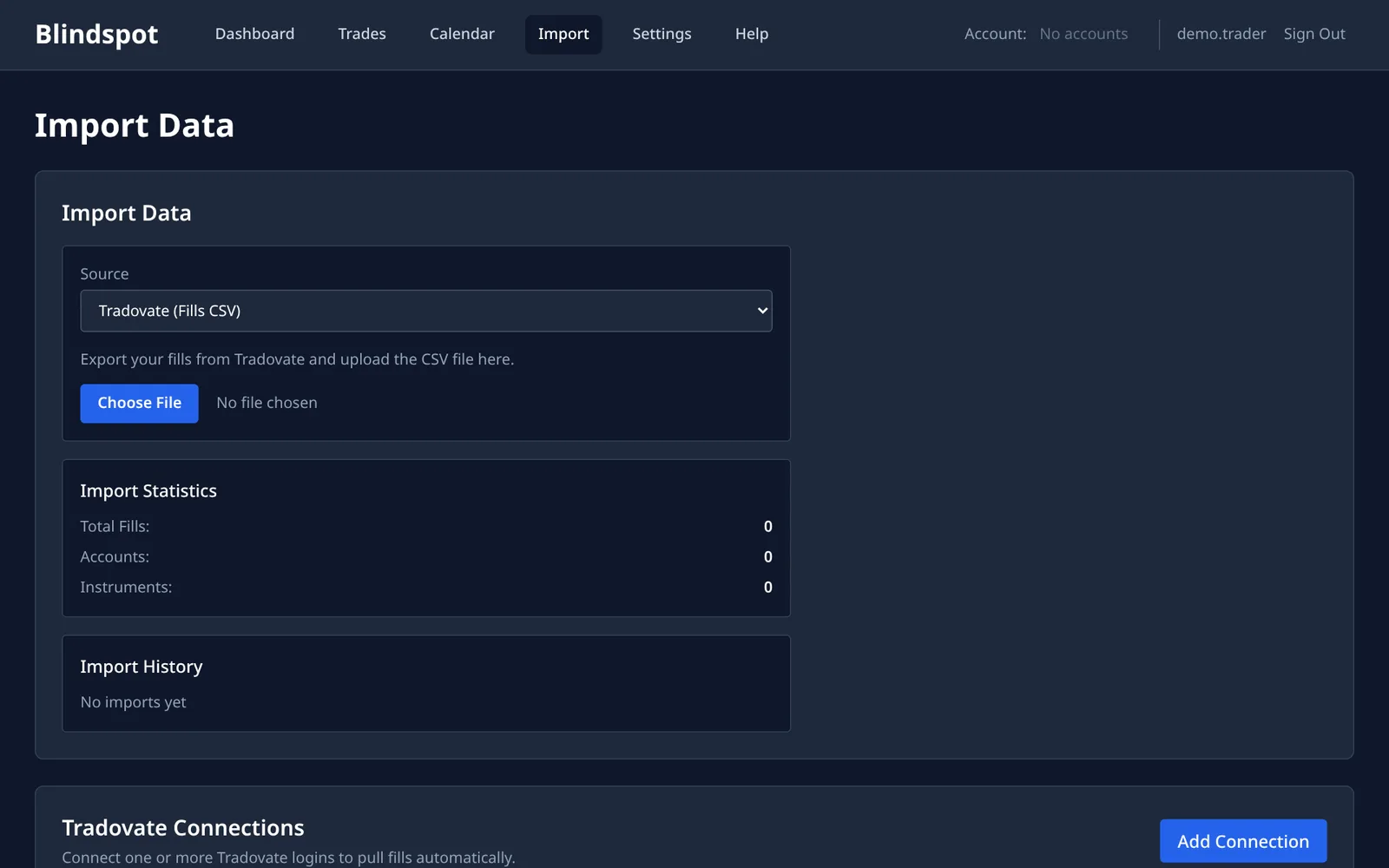
Your dashboard is ready immediately: net P&L, win rate, expectancy and profit factor, daily P&L and its distribution, an equity curve with drawdown, a calendar of every trading day, and breakdowns by instrument, hour of day and weekday.
What Blindspot shows you that Tradovate's reports don't
Tradovate's built-in Performance reports tell you what happened — orders, fills and account P&L. Blindspot is built to tell you why:
- Round-trip trades, not raw fills. Entries, exits and partial fills are paired automatically into complete trades, so your stats reflect trades the way you think about them.
- Expectancy and profit factor. The two numbers that actually determine whether your approach makes money over time — calculated per trade, not per fill.
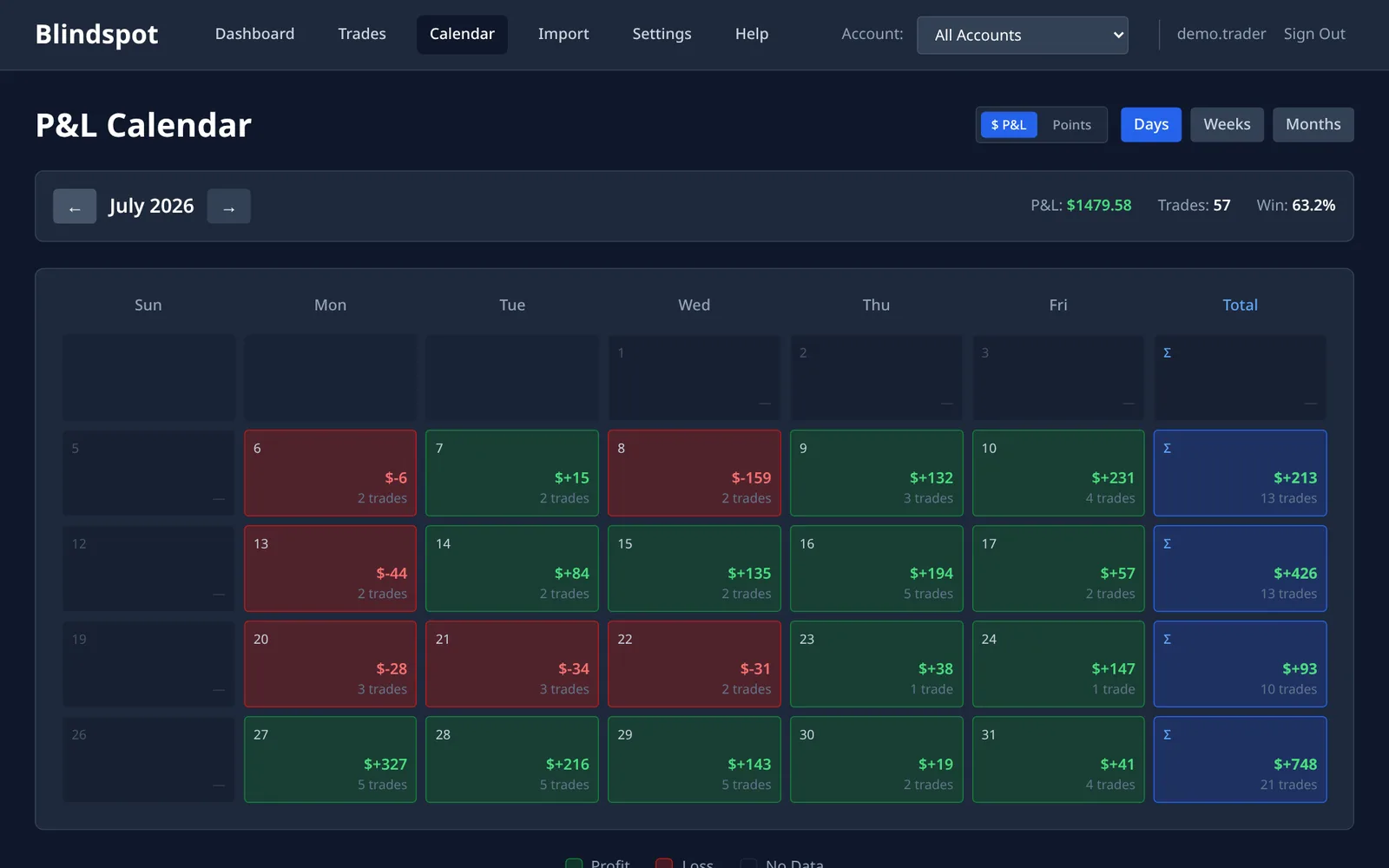
- Calendar P&L. Spot losing streaks, revenge-trading days and overtrading patterns at a glance.
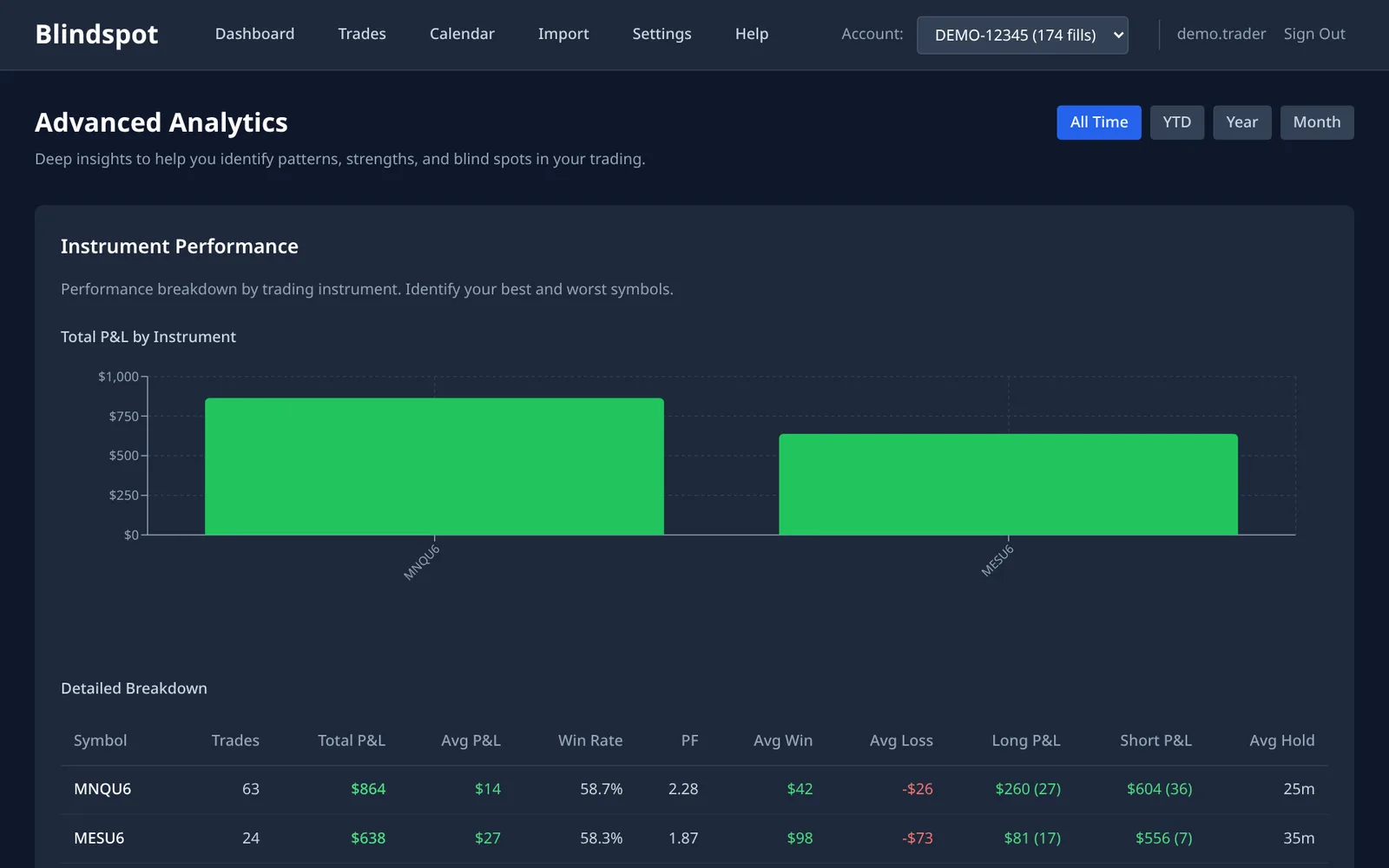
- Hour-of-day, weekday and instrument breakdowns. Find the session that quietly bleeds your account — most traders have one and don't know it.
- MAE / MFE. How far each trade went against you and for you before it closed — the data behind better stops and targets.
- A journal attached to real data. Notes, tags and screenshots live on the trade itself, and you can share read-only access with a mentor who can comment.
Frequently asked questions
Does Blindspot need my Tradovate login or API keys?
Not for CSV import. You export a file from Tradovate and upload it — your credentials stay with your broker. Blindspot also offers an optional direct Tradovate connection for automatic syncing; that one does use Tradovate API credentials (stored encrypted), and you can skip it entirely.
Do I need a funded account?
No. Any Tradovate account that can export fills works, including sim and demo accounts. Journaling sim trades is one of the best uses of Blindspot — build the review habit before real money is on the line.
I trade through a prop firm that uses Tradovate. Does this work?
If your firm gives you the Tradovate platform itself, the Fills export works the same way and imports the same way. Some firms run their own trading dashboards instead of Tradovate — TopstepX, for example, has its own export, which Blindspot also supports: see the TopstepX guide.
Can I re-import without duplicating trades?
Yes. Every fill carries Tradovate's own fill ID, so re-uploading overlapping date ranges never double-counts. Most traders export all-time once a week and upload it.
The import says the file is empty. What happened?
Tradovate exported a Fills view that had no rows — usually the date range or account filter excluded everything, or the download was interrupted. Widen the date range, make sure the Fills tab actually shows rows, export again and re-upload.
How much does it cost?
Blindspot is free while in beta. No credit card required.
Also works with
Blindspot also imports from NinjaTrader and TopstepX, as well as AMP / CQG, MetaTrader 5, TradingView and DayTraders.com exports. Pick the source on the Import page. Trades can also be entered by hand.
Stop guessing. Start measuring.
Import your Tradovate fills and see your real edge in under two minutes.
Create your free account