 Blindspot
Sharing your journal with a mentor, and the P&L calendar: Blindspot vs Tradervue
Two questions come up when traders pick a journal: can my mentor or coach see my trades without being able to change them, and does it have a calendar of my daily P&L? Here is what Blindspot and Tradervue each do, with every Tradervue claim linked to Tradervue's own pages.
- Both let you invite a mentor by email to read-only access, with comments on trades.
- Blindspot is free while in beta, for you and your mentor; you share one account at a time.
- Tradervue mentoring needs a Silver ($29.95/mo) or Gold ($49.95/mo) plan for both mentor and mentee.
- Both have a calendar colored by daily P&L, with each day's trades a click away.
Sharing with a mentor or coach
Tradervue details from its pricing page and help center, checked 3 November 2026. Plans change; follow the source links for today's.
| Blindspot | Tradervue | |
|---|---|---|
| How you invite | Settings → Account Sharing: their email, the account, and View only or View + Comment | Settings → Mentor Settings: their email, then Invite; they accept or decline 1 |
| What the mentor sees | The shared account's trades and stats, with its notes, tags and screenshots. Your Daily Journal stays private | Your Trades list, Journal and Reports, and trade details including quantity and P&L 1 |
| Scope | One account per share; share several accounts with separate invites | Your account 1 |
| Can they edit? | No, read-only | No, read-only 1 |
| Comments | With View + Comment, comments on trades, shown with their author to you and the people the account is shared with | Private comments on your trades, visible only to you and your mentors 1 |
| How many mentors | Up to 20 invites a day | "As many mentors as needed" 1 |
| Price | Free while in beta, for you and the mentor, who needs a free account | Both mentor and mentee need Silver ($29.95/mo) or Gold ($49.95/mo) 1 2 |
In Blindspot the shared account appears in your mentor's account selector marked (shared). It stays out of their own All Accounts totals unless they switch that on, so a coach with several students never mixes their trades into one another's numbers. You can revoke a share at any time, and the viewer can leave it.
The P&L calendar
| Blindspot | Tradervue | |
|---|---|---|
| Views | Days, Weeks and Months, with a total for each period | A year view; click a month for its days 3 |
| Each day shows | Net P&L or points, and the number of trades, colored by result | The number of trades and the P&L, aggregate or average, in $, ticks or R depending on your settings 3 |
| Colors | Profit and loss colors you can change, including a colorblind-friendly palette | Green for positive days, red for negative, blue for flat, gray for no trades 3 |
| Click a day | Lists that day's trades; click one to open it | Opens that day's page in the Journal view 3 |
| Rules and journal | A mark on each day for whether you kept your daily trading rules; with the Daily Journal on, each day holds your pre-market plan and post-session review | Day pages in the Journal view 3 |
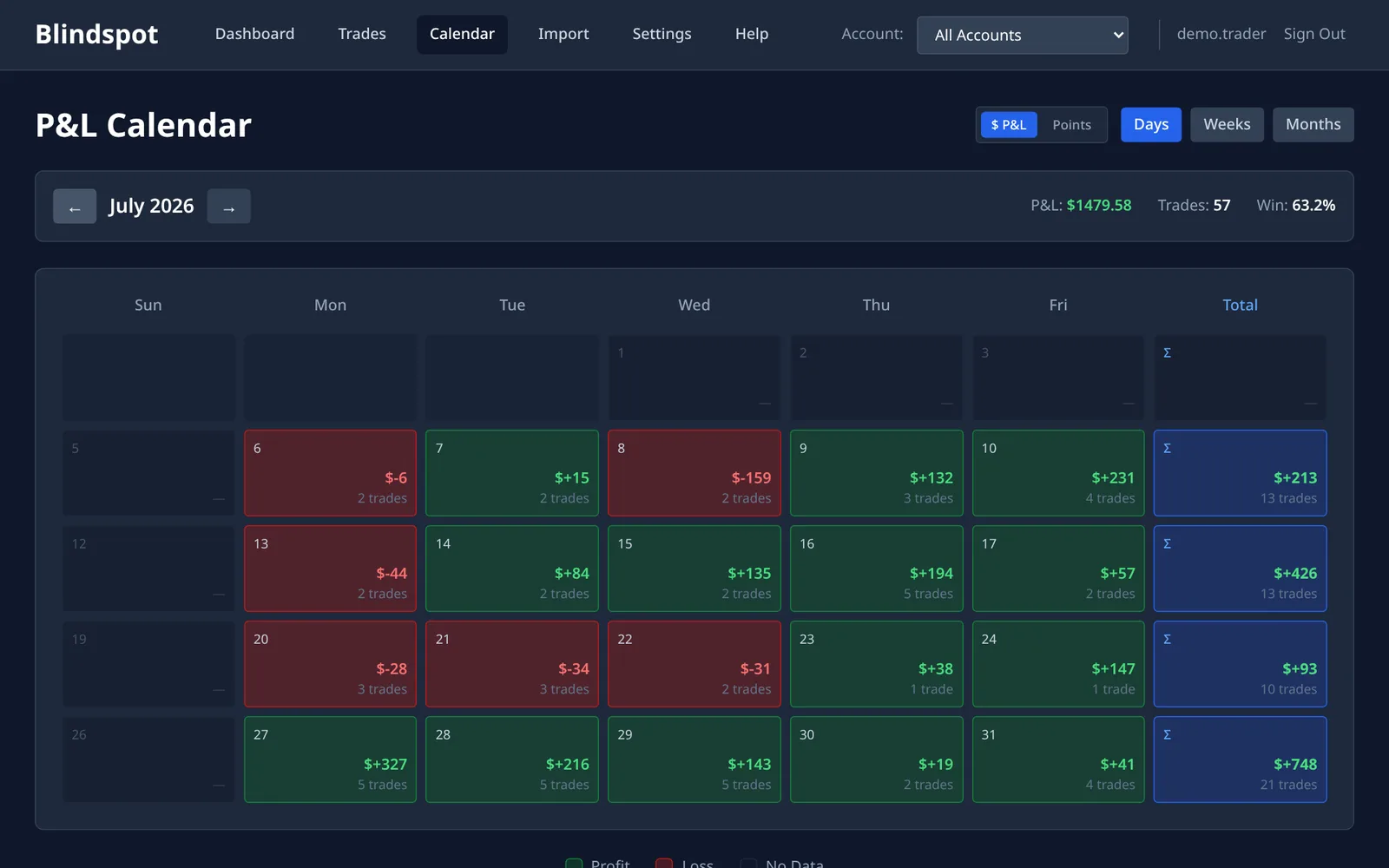
Blindspot groups trades into days by their close time, in the timezone set in your Settings. A mentor viewing your shared account sees the days in their own timezone.
Which one fits
- Blindspot if you trade futures and want a mentor or coach to follow one or more of your accounts without either of you paying, or want your daily rules marked on the calendar.
- Tradervue if you already pay for Silver or Gold, want a whole-year calendar view, or want daily results in ticks or R.
Sources
All read 3 November 2026.
- Tradervue mentoring: help.tradervue.com, "Mentoring and Coaching with Tradervue" (updated 25 September 2024)
- Tradervue pricing: tradervue.com/site/pricing
- Tradervue calendar: help.tradervue.com, "Calendar P&L" (updated 24 September 2024)
Frequently asked questions
Can my mentor see my trading journal in Blindspot?
Yes. In Settings, Account Sharing, invite them by email to one of your accounts as View only or View + Comment. Once they accept, they see that account's trades and stats, with its notes, tags and screenshots, read-only. Your Daily Journal stays private. It is free for both of you.
Does a mentor need a paid plan?
In Blindspot, no: Blindspot is free while in beta, and the mentor only needs a free account. Tradervue's help center says both the mentor and the mentee must have a Silver or Gold subscription to use mentoring.
Can a mentor change my trades?
Not in either. A shared Blindspot account is read-only for the viewer, who can add comments to trades only if you chose View + Comment. Tradervue describes mentor access as read-only, with private comments on trades.
Can I stop sharing later?
In Blindspot, yes: Revoke removes the share in Settings, Account Sharing, and the viewer can also leave it. To change a viewer's permission you revoke and invite them again.
More guides
Blindspot compared with TradeZella, TradesViz and TraderSync, how to spot tilt in your own trades, and every guide.
Share your journal with your mentor.
Free while in beta. Import your trades, then invite your mentor from Settings.
Create your free account