 Blindspot
Find the blind spots in your futures trading.
Blindspot is a free trading journal and analytics platform. Import your trades from Tradovate, NinjaTrader, TopstepX, AMP, TradingView, DayTraders.com or MT5 — or let Tradovate sync on its own — and Blindspot pairs them into round-trip trades and shows you the numbers that actually matter: expectancy, profit factor, drawdown, and where your P&L really comes from.
Free while in beta. No credit card. CSV import needs no broker connection; the demo needs no account.
Your broker statement can't tell you why.
Blindspot turns raw fills into an honest picture of your performance — no spreadsheets, and no typing in trades unless you want to.
Import from your broker
Upload exports from Tradovate, NinjaTrader, TopstepX, AMP, TradingView, DayTraders.com or MetaTrader 5, or enter trades by hand. Duplicate-safe: re-import anytime, nothing gets double-counted.
Automatic Tradovate sync
Rather not export files? Connect your Tradovate accounts and your fills come in automatically through the Tradovate API. Entirely optional — CSV import works without it. How it works.
Metrics that matter
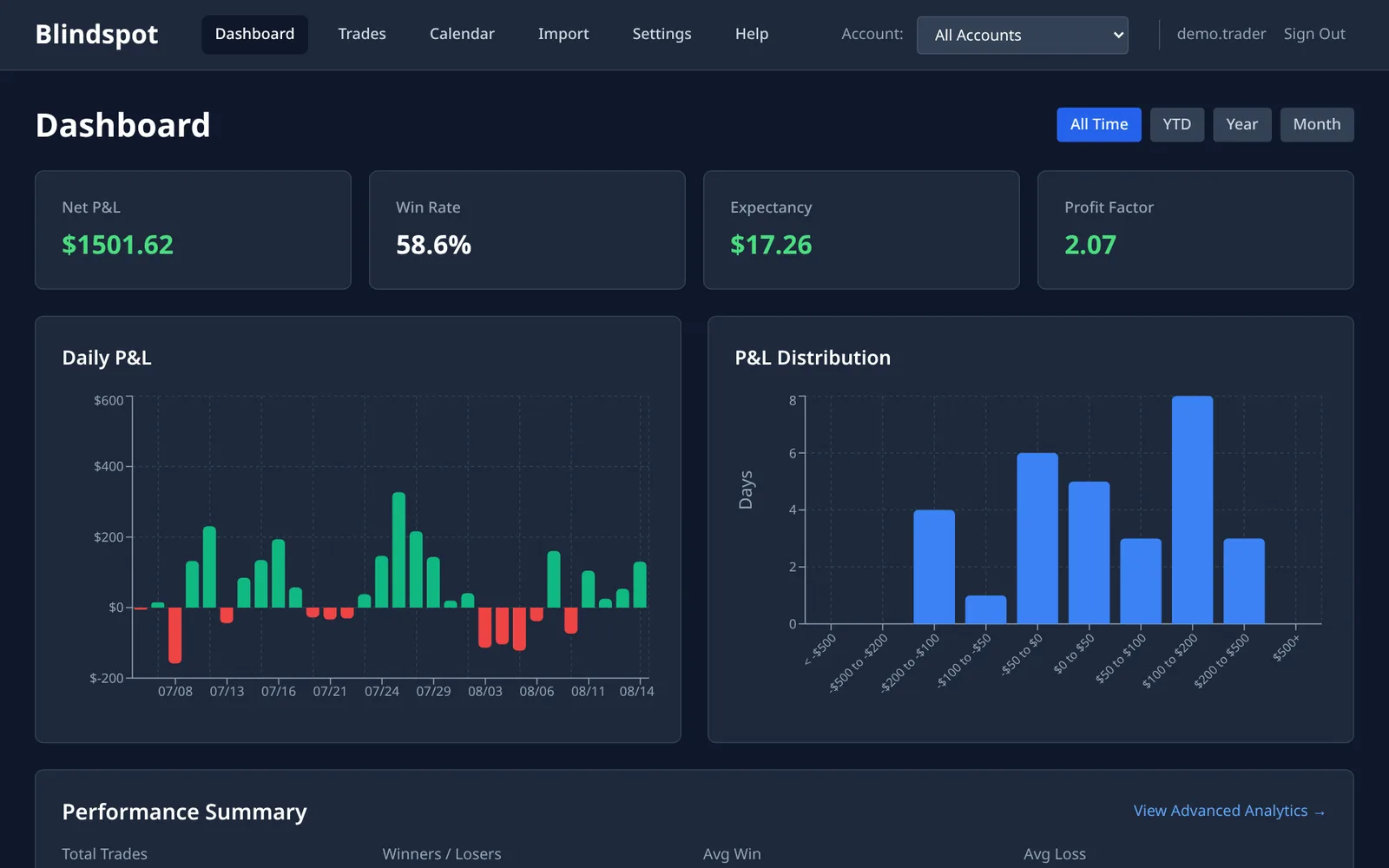
Win rate, expectancy, profit factor, average win/loss, max drawdown, and an equity curve that shows you the real trajectory. How to read expectancy and profit factor.
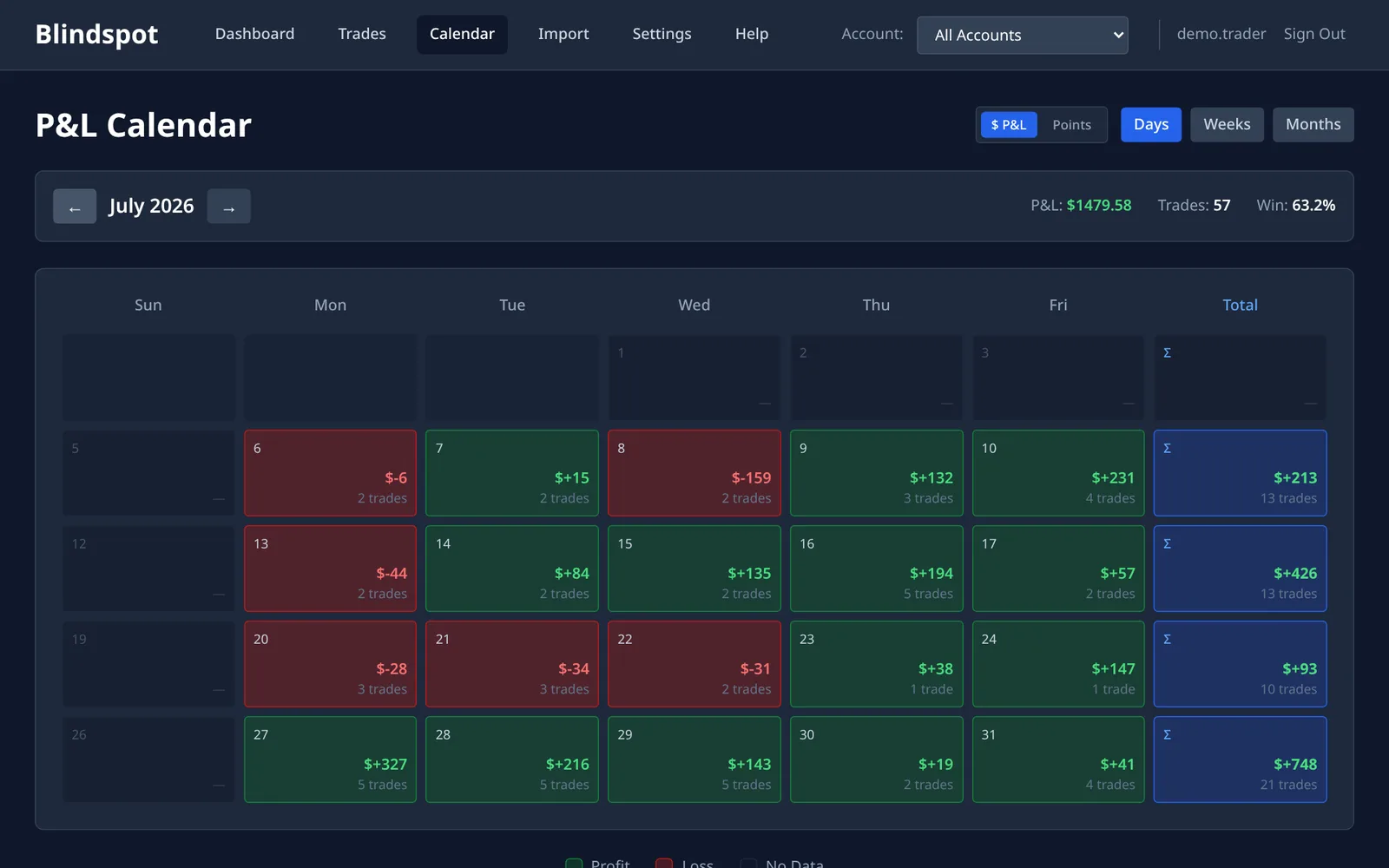
Calendar P&L and daily journal
See every trading day at a glance, with your pre-market plan and post-session review next to the trades they produced.
Trading rules and playbooks
Set your daily limits and see a green or red dot on every day. Build playbook checklists and learn which skipped rule costs you the most.
Time, instrument & streak analytics
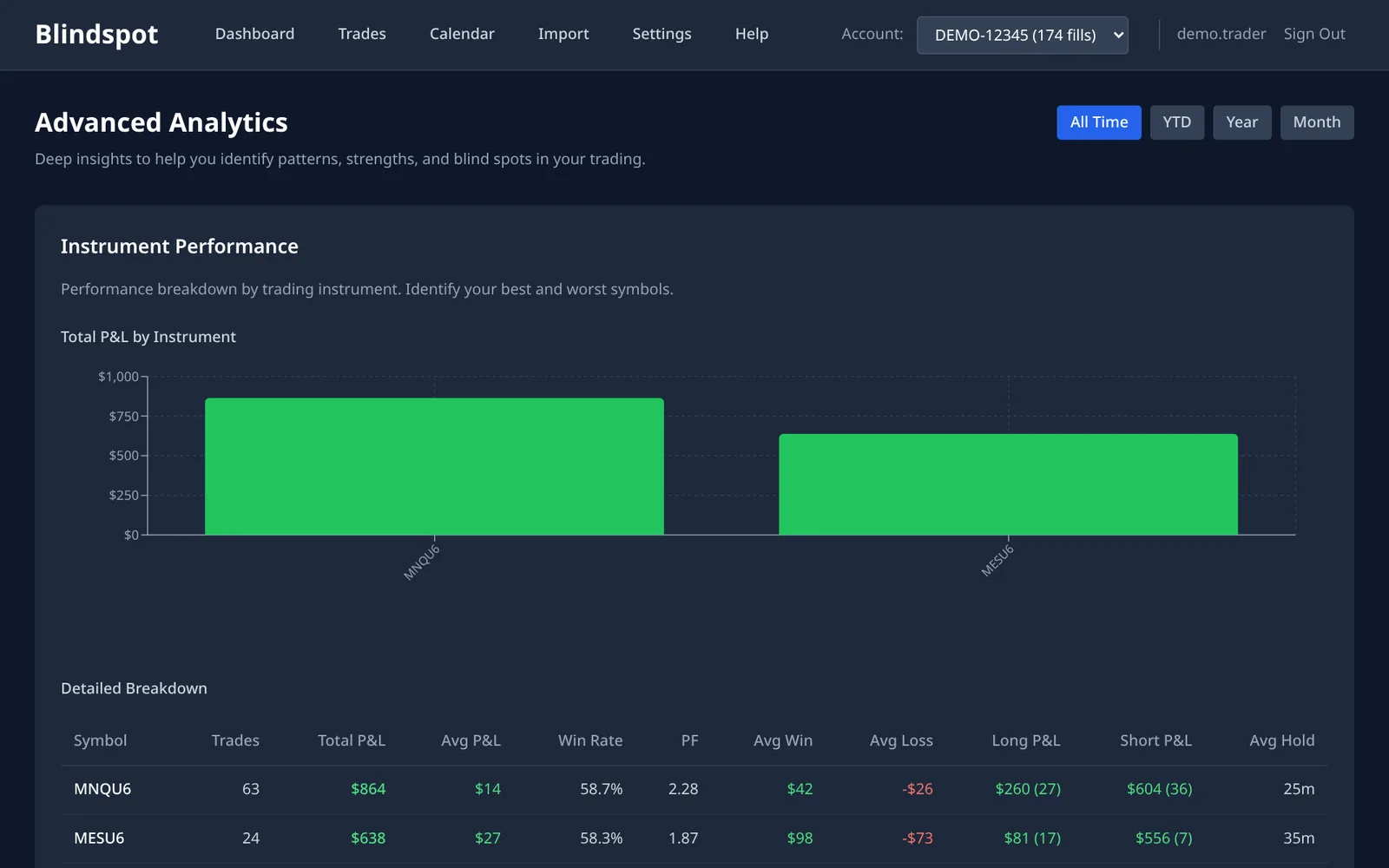
Break performance down by time of day, weekday, instrument, tag and mistake. Spot tilt from the streak you are on now and your runs of green and red days, with scratch trades skipped. Find out when — and what — you should actually be trading. Guides: your best time of day and spotting tilt.
Ask ChatGPT or Claude
Connect your AI assistant to your journal and ask "what did my mistakes cost me this month?" — answered from your real trades, and even what price was doing around them. How it works, or set up the MCP server.
Trade Health (early access)
For Tradovate-connected accounts: watch open positions with live quotes and get a warning when a trade starts moving against you. To try it, email support@blindspotjournal.com.
MAE/MFE from price data
How far each trade went against you and in your favour, worked out automatically from 1-minute price bars: back to 2023–24 for MNQ, ES, MGC and their sister contracts, and the last 30 days for other futures. Nothing to type in. MAE/MFE explained.
Notes, tags & sharing
Attach notes, tags and screenshots to any trade, and share read-only access with a mentor or trading partner who can comment on your trades (compared with Tradervue). Your trade table, your columns: show, hide and reorder them, and the layout follows you to any browser.
All your accounts
Keep each evaluation, funded and personal account apart, or see them together, with commissions set per contract.
Your data stays yours
Export everything as CSV or JSON whenever you like, and delete your account yourself from Settings. No broker login is needed to import. Found a bug or want a feature? Report it from inside Blindspot.
See it in action.
Open the demo journal — eight weeks of sample trades with tags, notes and a playbook — and click around. No account, nothing to install.
Up and running in two minutes.
No broker API keys needed: your data comes from the same exports you already have. Prefer it automatic? Connect Tradovate and your trades sync on their own.
Create a free account
Sign up with your email — that's it. Free while in beta.
Bring in your trades
Export from Tradovate, NinjaTrader, TopstepX, AMP, TradingView, DayTraders.com or MT5 and drop the file into Blindspot — or connect Tradovate, or add trades by hand.
See your edge
Your dashboard, equity curve, calendar and analytics are ready immediately. Then ask your AI assistant what it sees.
Stop guessing. Start measuring.
The traders who improve are the ones who review. Blindspot makes the review automatic.